
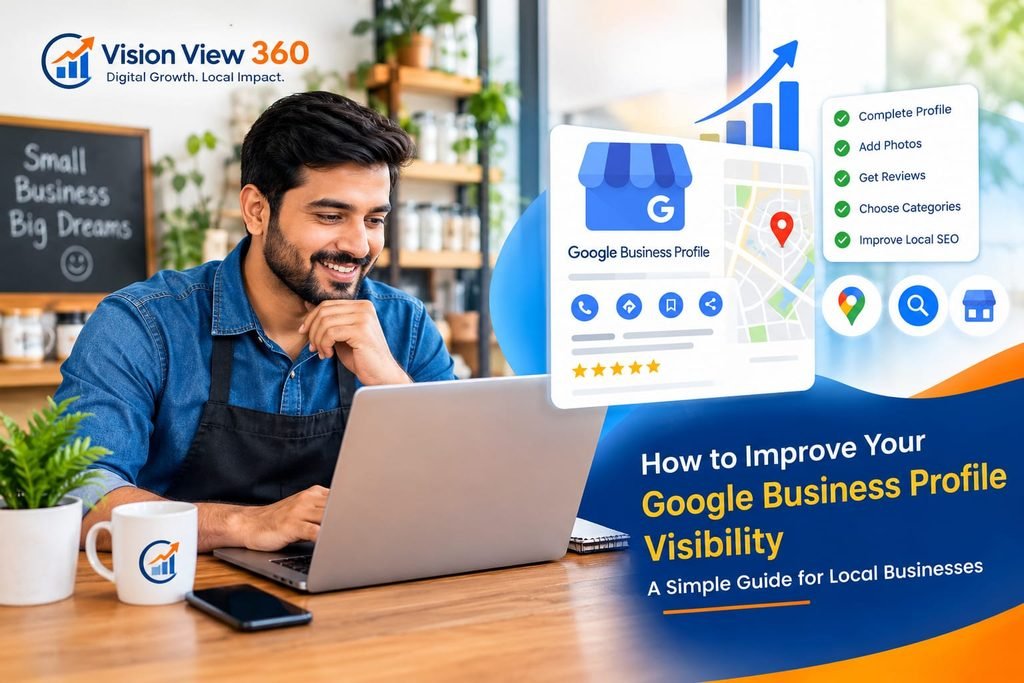
Why Google Business Profile Visibility Matters
Imagine someone in Jaipur searching Google for a dentist near them, a good restaurant for dinner, or a digital marketing agency to help grow their business.
Google shows them a list of businesses, along with their locations, reviews, contact details, and directions.
Now think about this: if your business does not appear when potential customers search for the products or services you offer, how many opportunities might you be missing?
This is one reason why your Google Business Profile deserves attention.
Many business owners create their profile, add their phone number, upload a few photos, and then forget about it. They expect customers to find them automatically.
But simply creating a profile is only the beginning.
If you want your business to become easier to find on Google Search and Google Maps, you need to keep your information accurate, add useful details, collect genuine customer reviews, and make it easy for people to choose your business.
The good news is that you do not need to be a technical expert to get started.
In this guide, we will explain how local businesses can improve their Google Business Profile visibility using simple, practical steps.
Whether you run a shop, restaurant, clinic, coaching center, repair service, or another local business, these tips can help you build a stronger online presence.
1. Complete Your Google Business Profile Properly
Let’s start with the basics.
Your Google Business Profile is the information about your business that can appear on Google Search and Google Maps.
It may include your business name, address, phone number, opening hours, website, photos, reviews, and other details.
When people search for your business or services, this information can help them decide whether to contact you.
That is why your profile should be complete and accurate.
Start by checking these details:
Business name: Use your real business name.
Business category: Select the category that best describes your main business activity.
Address or service area: Provide the correct information according to how your business operates.
Phone number: Make sure customers can reach you on a working number.
Website: Add your official website if you have one.
Business hours: Keep your regular and holiday hours updated.
Services: Add the services you actually provide.
Photos: Upload clear, genuine pictures of your business.
Imagine you own a dental clinic in Jaipur. A potential patient finds your profile but cannot see your opening hours or find a working phone number.
They may simply choose another clinic.
Sometimes, improving the customer experience starts with fixing these small details.
Practical tip: Open your Google Business Profile and check every field. Do not assume the information is correct just because you entered it when creating the profile.
2. Choose the Right Business Category
Your business category helps Google understand what your business does.
For example, a restaurant, dentist, real estate agency, and digital marketing agency all provide different services. Their categories should reflect their actual business activities.
Choosing a relevant primary category is important because it helps describe your main offering.
You may also be able to add secondary categories when they genuinely apply to your business.
However, do not select unrelated categories just because you think they might bring more customers.
Let’s take an example.
Suppose you run a digital marketing agency that mainly provides local SEO services, website optimization, and online marketing support.
Your primary category should describe your actual business, not simply a service you hope to sell in the future.
Similarly, a clinic should choose the category that accurately represents its practice.
Before making a change, check which categories are available and appropriate for your business.
Remember: Choose categories based on what your business really does. Do not treat them as a place to add extra keywords.
3. Keep Your Business Information Consistent
Have you ever searched for a business and found one phone number on Google, another on its website, and a different address on social media?
It creates confusion.
Customers may wonder which information is correct. They might even give up before contacting the business.
To avoid this, review the important details wherever your business appears online.
Check your:
Google Business Profile
Official website
Facebook page
Instagram business information
Relevant business directories
Your business name, contact information, and address should be accurate wherever they are published.
If your business moves to a new location or changes its phone number, update the relevant listings.
For service-area businesses that visit customers instead of receiving them at a public business address, make sure your Google profile reflects the way your business actually operates.
You should not publish a residential address as a customer-facing business location if your business is not eligible to display that address.
These details may seem small, but they help create a more reliable experience for customers.
4. Write a Clear and Helpful Business Description
Your business description is an opportunity to tell potential customers what you do.
Instead of writing something vague like:
“We provide the best services with the best quality and complete customer satisfaction.”
Explain what your business actually offers.
For example, a digital marketing agency might write:
“We help local businesses improve their online presence through local SEO, Google Business Profile optimization, website improvements, and digital marketing support. Our goal is to help businesses become easier to find online and make it simpler for potential customers to contact them.”
This description explains the services without making unrealistic promises.
When writing your description, answer three simple questions:
What does your business do?
Who do you help?
What services or products can customers expect?
Use natural language.
You do not need to repeat the same keyword several times. A description filled with phrases such as “best SEO agency, top SEO agency, number one SEO company” does not make your business sound more trustworthy.
Also, avoid claims you cannot support.
For example, promising that you will make every customer rank first on Google can create unrealistic expectations.
The aim is simple: help people understand your business, not impress them with exaggerated words.
5. Add Genuine Photos of Your Business
Photos can help potential customers understand what they will find when they visit or contact your business.
Imagine looking for a restaurant.
Would you feel more comfortable with a profile showing the entrance, seating area, food, and actual surroundings, or one with almost no pictures?
For many customers, genuine photos make it easier to understand a business before visiting.
Depending on your business, you could upload:
Photos of the shop or office exterior
Interior photos
Your products
Your team at work
Equipment or facilities
Examples of completed work
Other genuine images that help customers understand your services
A clinic might show its reception area and facilities, subject to patient privacy.
A restaurant might show its dining area and dishes.
A repair business might share genuine examples of completed work.
You do not need an expensive camera for every photo. Clear pictures taken with a good smartphone can be useful.
Pay attention to lighting, cleanliness, and image clarity.
Avoid uploading pictures that misrepresent your business or using stock images to make it appear that you have facilities you do not actually have.
You should also obtain permission before publishing identifiable customer photographs.
Practical tip: Take a few new photos whenever something changes at your business. You could add pictures after renovating your shop, introducing a new product, or completing a suitable project.
6. Ask Happy Customers for Genuine Reviews
Reviews are an important part of how many people evaluate a local business.
Before choosing a dentist, restaurant, salon, or service provider, people often read what previous customers have said.
A profile with helpful, genuine reviews can give potential customers more information about the experience they might expect.
But getting reviews should be handled properly.
After completing a job or serving a customer, you can politely ask them to share an honest review of their experience.
For example, you could send this message:
Sample review request
“Hello! Thank you for choosing our business. We hope you were happy with our service. If you have a moment, we would appreciate it if you could share your honest feedback on Google. Your feedback helps us understand what we are doing well and where we can improve. Thank you for your support!”
You can share Google’s review link with the customer to make the process easier.
However, keep these points in mind:
Do not buy fake reviews.
Need not ask employees to pretend to be customers.
No need to offer discounts or gifts in exchange for positive reviews.
Do not pressure customers to leave only five-star reviews.
Do not ask only satisfied customers for reviews while discouraging others from sharing honest feedback.
Google prohibits fake engagement and incentivized reviews.
The best approach is to make it easy for genuine customers to share their actual experiences.
What Should You Do When Someone Leaves a Review?
Respond politely and professionally.
If a customer leaves a positive review, thank them.
For example:
“Thank you for your kind words and for choosing us. We appreciate your support and look forward to serving you again.”
If a customer leaves a negative review, do not respond angrily.
Read the complaint carefully, acknowledge the concern where appropriate, and offer a reasonable way to resolve the issue.
Avoid sharing private customer information in your public response.
Remember, your response is not only for the person who wrote the review. Other potential customers may read it too.
7. Keep Your Business Profile Active With Useful Updates
Many business owners spend time creating their profile but rarely check it again.
An easy improvement is to review your profile regularly and use the available features when they are relevant to your business.
Google Business Profile may allow eligible businesses to publish updates, offers, and event posts.
You could share information about:
A new product or service
A seasonal offer
A new branch or location
An upcoming event
A useful announcement for customers
For example, a coaching center could share information about an upcoming admission session.
A restaurant could announce a new menu.
A local service provider could explain a service that customers frequently ask about.
Keep the information accurate and useful.
Do not publish meaningless updates just to make the profile look active.
Also, do not assume that posting every day will automatically improve your ranking. Google does not guarantee higher visibility simply because a business publishes frequent posts.
The purpose is to give customers useful, current information and help them understand what your business offers.
8. Add Your Services and Products Where Relevant
When customers find your business online, they should not have to guess what you offer.
Depending on your business category and the features available to your profile, you may be able to add services, products, or other relevant details.
For example, a digital marketing agency might list services such as:
Local SEO
Google Business Profile optimization
Website SEO
Website development
Meta Ads management
A salon might list its available treatments.
A repair business might describe the equipment it repairs and the services it provides.
Keep your service information clear and accurate.
Avoid adding services that you do not actually offer.
Where appropriate, explain what the service includes so customers can decide whether it meets their needs.
If your business serves several nearby areas, make sure your website clearly explains where you operate.
Do not create misleading listings or claim to have offices in places where you do not have eligible business locations.
9. Make Sure Your Website Supports Your Google Profile
Your Google Business Profile is important, but it should not be your only online presence.
A good website gives potential customers more information about your business, your services, and how to contact you.
It also gives you greater control over the information you publish.
If you have a website, start by checking the basics.
Is your contact information easy to find?
Customers should be able to locate your phone number, contact form, address where applicable, and other relevant details without searching through multiple pages.
Does your website explain your services clearly?
A visitor should understand what you offer and whether your business can help them.
Does your website work well on mobile phones?
Many people search for local services on their phones. If your website is difficult to read or navigate on a small screen, visitors may leave.
Does your website have useful service pages?
If you provide several services, a dedicated page for each important service can help explain what you do in greater detail.
For example, a local SEO agency serving Jaipur could create a page explaining its local SEO services, its process, and the types of businesses it helps.
A useful service page should answer customers’ questions rather than simply repeat keywords.
You can also link relevant blog articles to your service pages, helping readers move from learning about a topic to exploring the service.
For example, if someone reads an article about improving Google Business Profile visibility, they may want to learn more about local SEO support.
That is a natural place to offer a relevant service link.
10. Understand How Local Search Rankings Work
One question business owners often ask is:
“If I complete my Google Business Profile, will my business appear at the top of Google Maps?”
The honest answer is that no one can guarantee that.
Google explains that local results are primarily influenced by three factors: relevance, distance, and prominence.
Let’s understand these in simple language.
Relevance
Relevance means how well a business profile matches what someone is searching for.
If someone searches for a dentist, a dental clinic is more relevant than an unrelated business.
Accurate categories, complete business information, and clearly described services can help Google understand what your business offers.
Distance
Distance refers to how far a business is from the person searching or the location included in the search.
For example, someone looking for a nearby restaurant may see different results depending on where they are.
This is one reason why two people in different parts of Jaipur may not see exactly the same local results.
You cannot solve this simply by adding more location keywords to your business description.
Prominence
Prominence relates to how well-known or established a business is.
Google may consider information such as links, reviews, and other signals when determining local prominence.
You can work on building a stronger online presence by providing good service, earning genuine customer reviews, maintaining accurate information, and creating useful content.
However, these activities do not guarantee a particular ranking.
Understanding these three factors helps you focus on improvements that are useful for both customers and your online presence.
11. Check Your Profile Regularly and Measure Progress
You cannot improve something effectively if you never check how it is performing.
Google Business Profile provides performance information for eligible profiles. The information available may vary, but it can include details about how people discover and interact with your business.
Depending on the data available, review metrics such as:
Searches that led people to your profile
Views of your profile
Website clicks
Calls
Requests for directions
Other available customer interactions
Do not judge your progress using only one number.
For example, an increase in profile views may be encouraging, but it does not automatically mean that you are receiving more customers.
Website clicks and calls can provide additional context. You should also consider whether those interactions lead to relevant inquiries and actual business.
It is useful to compare performance over time rather than reacting to every small daily change.
You can also review your website analytics and Search Console data to understand how people find and use your website.
For a small business, the most useful question is not simply, “How many people saw my profile?”
It is also, “Are more relevant people contacting my business, visiting my website, or asking about my services?”
That is a more practical way to evaluate your online marketing efforts.
12. Avoid These Common Google Business Profile Mistakes
Sometimes, the problem is not that a business owner is doing too little. It is that they are following the wrong practices.
Here are some mistakes worth avoiding.
Using keywords in the business name unnecessarily
Your business name should reflect your real-world business name. Adding extra keywords to manipulate rankings can violate Google’s guidelines.
Choosing irrelevant categories
Select categories that accurately describe your business. Do not choose unrelated categories in the hope of appearing for more searches.
Ignoring customer reviews
Reviews are an opportunity to understand customer experiences and respond professionally. Leaving every review unanswered can mean missing a chance to communicate.
Allowing outdated information to remain online
Incorrect opening hours, old phone numbers, and outdated addresses can frustrate customers.
Creating duplicate profiles
Do not create multiple profiles for the same eligible business location simply to increase visibility. Follow Google’s rules for representing your business.
Expecting instant results
Local search visibility can change over time. There is no guaranteed ranking position or fixed period in which every business will see improvement.
Ignoring your website
Your profile and website should support one another. A complete profile is useful, but customers may still need a good website to understand your services and contact you.
Avoiding these mistakes is a sensible starting point for a stronger local presence.
13. A Simple 30-Day Action Plan for Local Businesses
If all of this sounds like a lot of work, do not worry.
You do not need to change everything in one day.
Start with a simple plan and complete the tasks step by step.
Week 1: Fix the Basics
Check your business name, category, phone number, address, and opening hours.
Complete the relevant profile fields.
Review your service information.
Make sure your website and contact details are correct.
Week 2: Improve Your Profile
Add clear, genuine photos.
Review your business description.
Add relevant services or products where supported.
Check whether customers can easily understand what your business offers.
Week 3: Focus on Customer Experience
Ask genuine customers for honest reviews without offering incentives.
Respond professionally to existing reviews.
Check whether your contact details and customer-facing information are up to date.
Publish a useful business update if you have something relevant to share.
Week 4: Review Your Progress
Check the performance information available in your profile.
Review website traffic and relevant inquiries.
Identify any information that needs updating.
Make a short list of improvements for the following month.
At the end of 30 days, you will have a clearer picture of your profile and the work still needed.
Keep in mind that this is an action plan, not a promise of first-page rankings within 30 days.
The goal is to build a more accurate, helpful, and trustworthy online presence.
Final Thoughts
Your Google Business Profile can be an important part of your local marketing strategy.
It helps people discover information about your business when they search for relevant products or services on Google.
But creating a profile is only the first step.
You also need to maintain accurate information, select appropriate categories, add genuine photos, encourage honest reviews, explain your services clearly, and provide a good experience for potential customers.
Your website should support these efforts by answering customer questions and making it easy for people to contact you.
Most importantly, focus on helping customers rather than trying to find shortcuts to higher rankings.
There is no magic button that guarantees your business will appear first on Google Maps. However, maintaining accurate information and building a useful online presence are sensible steps toward helping customers find and evaluate your business.
If you run a local business in Jaipur and want to improve how your business appears online, the first step is to understand what is already working and where improvements are needed.
At Vision View 360, we help businesses work on their online visibility through local SEO, Google Business Profile optimization, and website improvements.
Want to improve your business’s local visibility?
Explore our Local SEO Services in Jaipur to learn how we can help you build a stronger online presence.